
See your whole Azure estate. Your data never leaves it.
Azure overspend creeps too quietly to trip an alert. StratoLens runs inside your own tenant and catches it within days, with the cause attached: a leak you plug, not an overrun you explain.
"I trimmed $14,100/year off my Azure tenant within hours of installing StratoLens."
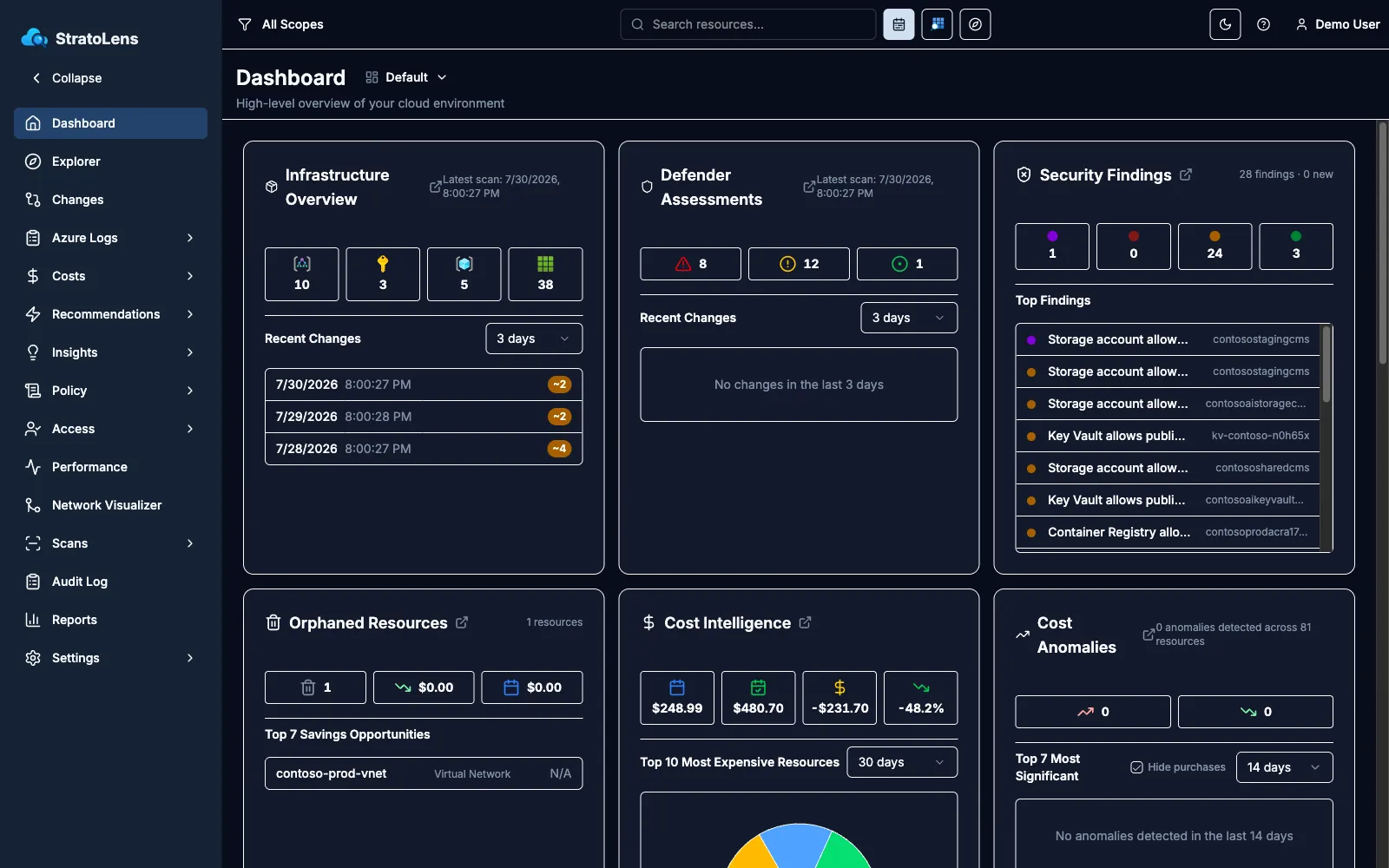
Captured from a live demo tenant. Watch the 3-minute overview

What it finds
The cost waste, access risk, and config drift in your Azure estate
Twenty-plus features that surface what changed, what it costs, and who has access, all from inside your tenant.
Change Tracking
Know what changed, who changed it, and when
Access Optimization
Find the stale access and over-privileged users hiding in your role assignments
Cost Anomaly Detection
Detect cost spikes and trace them to infrastructure changes
Orphaned Resources
Find the unattached disks, idle services, and unused IPs quietly billing you
Network Topology Visualization
Interactive network diagrams with route tracing, generated automatically
Policy Governance
Change tracking applied to Azure Policy: what changed, where, and when, scan over scan
Commitment Coverage
Track RI and Savings Plan utilization, wastage, and renewals
View all features
20+ features, every one included on every plan
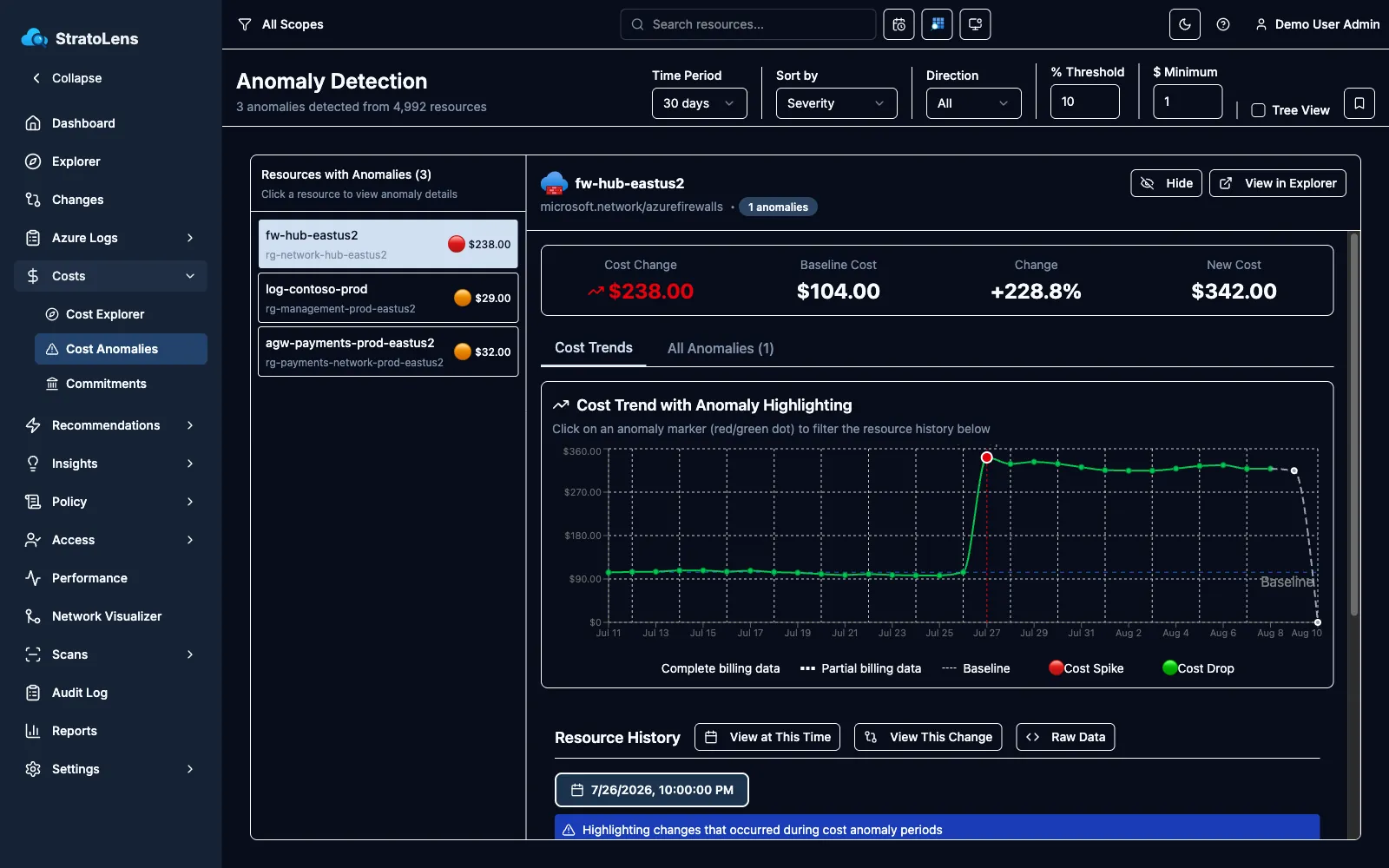
Cost anomalies
See the spike, and the change that caused it
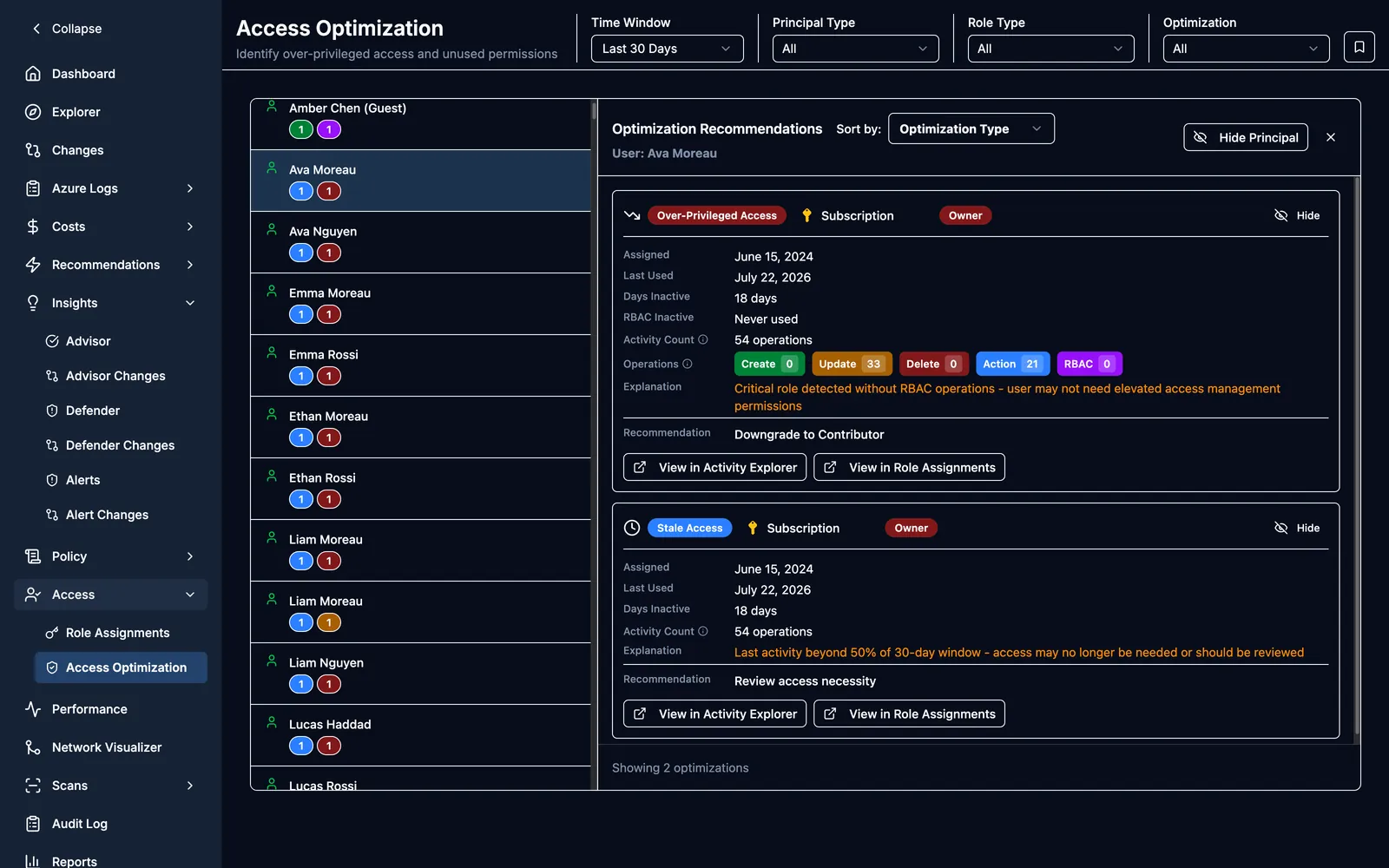
Access risk
Find out who uses their permissions, and who just has them
From production tenants
What customers are saying
The first thing I check every morning
"The StratoLens dashboard is the first thing I check every morning. It identifies orphaned resources for immediate cost savings, makes access optimization intuitive, and the reporting features give upper management exactly the data they need."
Michael — Azure Cloud Engineer, Healthcare
Case study
The $50 resource billing $1,500 a month
A customer's spend crept for months with no alert. Nothing was misconfigured, so Azure had nothing to flag. StratoLens pinned the cause in about 30 minutes: multi-revision mode left on in production, a resource that should have cost about $50 a month running at roughly $1,500.
$17,400 a year
corrected the same day
Why self-hosted
Everything runs in your tenant, and nothing leaves it.
Built for the person who answers for the Azure estate. No SaaS middleman holding your infrastructure metadata, no data-residency review to clear, no new trust boundary to explain to your auditor.
- Deploys entirely within your Azure tenant; metadata never leaves it
- Up and running from the Azure Marketplace in under 15 minutes
- Cost, security posture, access, and change tracking in one platform
- Flat pricing from $179/month, every feature on every plan
- Azure-native security: no external credentials, no third-party access
Built for strict data residency
Solutions
What StratoLens does for your team
Four starting points. Each page shows which features that team uses and why.
FinOps & Cost Optimization
Cut the waste quietly running up your Azure bill
See the detailsCompliance & Security
Audit evidence and access risk, from inside your tenant
See the detailsPlatform Engineering
Standing visibility across every subscription you run
See the detailsRegulated Industries
Self-hosted visibility for strict data residency
See the details
How It Works
Deploy. Scan. Decide.
- 1
Deploy
Deploy StratoLens from the Azure Marketplace into your own tenant, in under 15 minutes. No data-residency review to clear, because no data leaves.
- 2
Scan
StratoLens scans on your schedule, using Azure Resource Graph and Activity Logs. Not a one-time snapshot: a continuously updated picture of cost, access, and every change, across every subscription.
- 3
Decide
Findings arrive ranked by what they cost you, with the cause attached. StratoLens surfaces; you act.
Fourteen days. Every feature. Your tenant.
Deploys from the Marketplace into your own subscription, so there is no data-residency review to clear before you can try it.
When the 14 days end, billing starts on your Azure invoice at your tier. One toggle in Settings turns it off, any time.
Not ready to install anything? Browse the Azure Footguns Database: 97 documented ways Azure quietly costs money or creates risk.
Want product updates and release news? Join the mailing list.